

OS 환경 : Oracle Linux 9.6 (64bit)
DB 환경 : Oracle AI Database 23.26.1.0.0 ai
방법 : Oracle Linux 9.6에 Oracle 26ai 설치 가이드
본문에서는 Oracle Linux 9.6에 Oracle 26ai를 설치하는 방법을 설명함
OS 설치는 아래 게시물 참조
Oracle linux 9.6 설치 가이드( https://positivemh.tistory.com/1284 )
hostname : ora26
DB 설치파일
p38743961_230000_Linux-x86-64_dbgoldimg.zip
또는 LINUX.X64_2326100_db_home.zip
설치파일은 아래 링크에서 다운로드 받을 수 있음
https://www.oracle.com/database/technologies/oracle26ai-linux-downloads.html
오라클 설치 전 사전 설정
기존에 다른 hostname이라면 hostname 변경 후 재접속
|
1
2
|
# hostnamectl set-hostname ora26
# (세션 재접속)
|
/etc/hosts 에 ip hostname설정
|
1
2
3
4
|
# cat /etc/hosts
127.0.0.1 localhost localhost.localdomain localhost4 localhost4.localdomain4
::1 localhost localhost.localdomain localhost6 localhost6.localdomain6
192.168.137.26 ora26
|
preinstall rpm 설치
공식홈페이지에서 preinstall rpm 다운로드 후 서버에 업로드
또는 curl로 서버에 직접 다운로드
|
1
|
# curl -o oracle-ai-database-preinstall-26ai-1.0-1.el9.x86_64.rpm https://yum.oracle.com/repo/OracleLinux/OL9/appstream/x86_64/getPackage/oracle-ai-database-preinstall-26ai-1.0-1.el9.x86_64.rpm
|
preinstall 패키지 설치
|
1
2
3
4
5
6
7
8
9
10
11
12
13
14
15
16
17
18
19
20
21
22
23
24
25
26
27
28
29
30
31
32
33
34
35
36
37
38
39
40
41
42
43
44
45
46
47
48
49
50
51
52
53
54
55
56
57
58
59
60
61
62
63
64
65
66
67
68
69
70
71
72
73
74
75
76
77
78
79
80
81
82
83
84
85
86
87
88
89
90
91
92
93
94
95
96
97
98
99
100
101
102
103
104
105
106
107
108
109
110
111
112
113
114
115
116
117
118
119
120
121
122
123
124
125
126
127
128
129
130
131
|
# dnf -y localinstall oracle-ai-database-preinstall-26ai-1.0-1.el9.x86_64.rpm
Oracle Linux 9 BaseOS Latest (x86_64) 9.4 kB/s | 4.3 kB 00:00
Oracle Linux 9 BaseOS Latest (x86_64) 17 MB/s | 106 MB 00:06
Oracle Linux 9 Application Stream Packages (x86_64) 9.2 kB/s | 4.5 kB 00:00
Oracle Linux 9 Application Stream Packages (x86_64) 16 MB/s | 82 MB 00:05
Oracle Linux 9 UEK Release 8 (x86_64) 8.0 kB/s | 3.5 kB 00:00
Oracle Linux 9 UEK Release 8 (x86_64) 10 MB/s | 27 MB 00:02
Last metadata expiration check: 0:00:04 ago on Thu 29 Jan 2026 09:51:31 PM KST.
Dependencies resolved.
=====================================================================================================================================================================
Package Architecture Version Repository Size
=====================================================================================================================================================================
Installing:
oracle-ai-database-preinstall-26ai x86_64 1.0-1.el9 @commandline 34 k
Installing dependencies:
compat-openssl11 x86_64 1:1.1.1k-5.el9_6.1 ol9_appstream 1.5 M
gssproxy x86_64 0.8.4-7.el9 ol9_baseos_latest 120 k
initscripts x86_64 10.11.8-4.0.1.el9 ol9_baseos_latest 285 k
ksh x86_64 3:1.0.6-7.0.1.el9_6.2 ol9_appstream 889 k
libev x86_64 4.33-6.el9 ol9_baseos_latest 56 k
libnfsidmap x86_64 1:2.5.4-38.0.1.el9 ol9_baseos_latest 71 k
libverto-libev x86_64 0.3.2-3.el9 ol9_baseos_latest 14 k
lm_sensors-libs x86_64 3.6.0-10.el9 ol9_appstream 42 k
nfs-utils x86_64 1:2.5.4-38.0.1.el9 ol9_baseos_latest 518 k
pcp-conf x86_64 6.3.7-5.0.6.el9 ol9_appstream 41 k
pcp-libs x86_64 6.3.7-5.0.6.el9 ol9_appstream 654 k
rpcbind x86_64 1.2.6-7.el9 ol9_baseos_latest 69 k
sssd-nfs-idmap x86_64 2.9.6-4.0.1.el9 ol9_baseos_latest 45 k
sysstat x86_64 12.5.4-9.0.2.el9 ol9_appstream 541 k
Transaction Summary
=====================================================================================================================================================================
Install 15 Packages
Total size: 4.8 M
Total download size: 4.7 M
Installed size: 13 M
Downloading Packages:
(1/14): libev-4.33-6.el9.x86_64.rpm 91 kB/s | 56 kB 00:00
(2/14): gssproxy-0.8.4-7.el9.x86_64.rpm 150 kB/s | 120 kB 00:00
(3/14): libnfsidmap-2.5.4-38.0.1.el9.x86_64.rpm 275 kB/s | 71 kB 00:00
(4/14): libverto-libev-0.3.2-3.el9.x86_64.rpm 94 kB/s | 14 kB 00:00
(5/14): initscripts-10.11.8-4.0.1.el9.x86_64.rpm 294 kB/s | 285 kB 00:00
(6/14): sssd-nfs-idmap-2.9.6-4.0.1.el9.x86_64.rpm 289 kB/s | 45 kB 00:00
(7/14): rpcbind-1.2.6-7.el9.x86_64.rpm 352 kB/s | 69 kB 00:00
(8/14): nfs-utils-2.5.4-38.0.1.el9.x86_64.rpm 977 kB/s | 518 kB 00:00
(9/14): lm_sensors-libs-3.6.0-10.el9.x86_64.rpm 306 kB/s | 42 kB 00:00
(10/14): compat-openssl11-1.1.1k-5.el9_6.1.x86_64.rpm 3.0 MB/s | 1.5 MB 00:00
(11/14): pcp-conf-6.3.7-5.0.6.el9.x86_64.rpm 305 kB/s | 41 kB 00:00
(12/14): ksh-1.0.6-7.0.1.el9_6.2.x86_64.rpm 1.5 MB/s | 889 kB 00:00
(13/14): pcp-libs-6.3.7-5.0.6.el9.x86_64.rpm 3.7 MB/s | 654 kB 00:00
(14/14): sysstat-12.5.4-9.0.2.el9.x86_64.rpm 2.4 MB/s | 541 kB 00:00
---------------------------------------------------------------------------------------------------------------------------------------------------------------------
Total 2.5 MB/s | 4.7 MB 00:01
Oracle Linux 9 BaseOS Latest (x86_64) 6.1 MB/s | 6.2 kB 00:00
Importing GPG key 0x8D8B756F:
Userid : "Oracle Linux (release key 1) <secalert_us@oracle.com>"
Fingerprint: 3E6D 826D 3FBA B389 C2F3 8E34 BC4D 06A0 8D8B 756F
From : /etc/pki/rpm-gpg/RPM-GPG-KEY-oracle
Key imported successfully
Importing GPG key 0x8B4EFBE6:
Userid : "Oracle Linux (backup key 1) <secalert_us@oracle.com>"
Fingerprint: 9822 3175 9C74 6706 5D0C E9B2 A7DD 0708 8B4E FBE6
From : /etc/pki/rpm-gpg/RPM-GPG-KEY-oracle
Key imported successfully
Running transaction check
Transaction check succeeded.
Running transaction test
Transaction test succeeded.
Running transaction
Preparing : 1/1
Installing : libnfsidmap-1:2.5.4-38.0.1.el9.x86_64 1/15
Installing : pcp-conf-6.3.7-5.0.6.el9.x86_64 2/15
Installing : pcp-libs-6.3.7-5.0.6.el9.x86_64 3/15
Installing : lm_sensors-libs-3.6.0-10.el9.x86_64 4/15
Installing : sysstat-12.5.4-9.0.2.el9.x86_64 5/15
Running scriptlet: sysstat-12.5.4-9.0.2.el9.x86_64 5/15
Created symlink /etc/systemd/system/multi-user.target.wants/sysstat.service → /usr/lib/systemd/system/sysstat.service.
Created symlink /etc/systemd/system/sysstat.service.wants/sysstat-collect.timer → /usr/lib/systemd/system/sysstat-collect.timer.
Created symlink /etc/systemd/system/sysstat.service.wants/sysstat-summary.timer → /usr/lib/systemd/system/sysstat-summary.timer.
Installing : ksh-3:1.0.6-7.0.1.el9_6.2.x86_64 6/15
Running scriptlet: ksh-3:1.0.6-7.0.1.el9_6.2.x86_64 6/15
Installing : compat-openssl11-1:1.1.1k-5.el9_6.1.x86_64 7/15
Running scriptlet: rpcbind-1.2.6-7.el9.x86_64 8/15
Installing : rpcbind-1.2.6-7.el9.x86_64 8/15
Running scriptlet: rpcbind-1.2.6-7.el9.x86_64 8/15
Created symlink /etc/systemd/system/multi-user.target.wants/rpcbind.service → /usr/lib/systemd/system/rpcbind.service.
Created symlink /etc/systemd/system/sockets.target.wants/rpcbind.socket → /usr/lib/systemd/system/rpcbind.socket.
Installing : libev-4.33-6.el9.x86_64 9/15
Installing : libverto-libev-0.3.2-3.el9.x86_64 10/15
Installing : gssproxy-0.8.4-7.el9.x86_64 11/15
Running scriptlet: gssproxy-0.8.4-7.el9.x86_64 11/15
Running scriptlet: nfs-utils-1:2.5.4-38.0.1.el9.x86_64 12/15
Installing : nfs-utils-1:2.5.4-38.0.1.el9.x86_64 12/15
Running scriptlet: nfs-utils-1:2.5.4-38.0.1.el9.x86_64 12/15
Installing : initscripts-10.11.8-4.0.1.el9.x86_64 13/15
Running scriptlet: initscripts-10.11.8-4.0.1.el9.x86_64 13/15
Created symlink /etc/systemd/system/sysinit.target.wants/import-state.service → /usr/lib/systemd/system/import-state.service.
Created symlink /etc/systemd/system/sysinit.target.wants/loadmodules.service → /usr/lib/systemd/system/loadmodules.service.
Installing : oracle-ai-database-preinstall-26ai-1.0-1.el9.x86_64 14/15
Installing : sssd-nfs-idmap-2.9.6-4.0.1.el9.x86_64 15/15
Running scriptlet: oracle-ai-database-preinstall-26ai-1.0-1.el9.x86_64 15/15
Running scriptlet: sssd-nfs-idmap-2.9.6-4.0.1.el9.x86_64 15/15
Verifying : gssproxy-0.8.4-7.el9.x86_64 1/15
Verifying : initscripts-10.11.8-4.0.1.el9.x86_64 2/15
Verifying : libev-4.33-6.el9.x86_64 3/15
Verifying : libnfsidmap-1:2.5.4-38.0.1.el9.x86_64 4/15
Verifying : libverto-libev-0.3.2-3.el9.x86_64 5/15
Verifying : nfs-utils-1:2.5.4-38.0.1.el9.x86_64 6/15
Verifying : rpcbind-1.2.6-7.el9.x86_64 7/15
Verifying : sssd-nfs-idmap-2.9.6-4.0.1.el9.x86_64 8/15
Verifying : compat-openssl11-1:1.1.1k-5.el9_6.1.x86_64 9/15
Verifying : ksh-3:1.0.6-7.0.1.el9_6.2.x86_64 10/15
Verifying : lm_sensors-libs-3.6.0-10.el9.x86_64 11/15
Verifying : pcp-conf-6.3.7-5.0.6.el9.x86_64 12/15
Verifying : pcp-libs-6.3.7-5.0.6.el9.x86_64 13/15
Verifying : sysstat-12.5.4-9.0.2.el9.x86_64 14/15
Verifying : oracle-ai-database-preinstall-26ai-1.0-1.el9.x86_64 15/15
Installed:
compat-openssl11-1:1.1.1k-5.el9_6.1.x86_64 gssproxy-0.8.4-7.el9.x86_64 initscripts-10.11.8-4.0.1.el9.x86_64
ksh-3:1.0.6-7.0.1.el9_6.2.x86_64 libev-4.33-6.el9.x86_64 libnfsidmap-1:2.5.4-38.0.1.el9.x86_64
libverto-libev-0.3.2-3.el9.x86_64 lm_sensors-libs-3.6.0-10.el9.x86_64 nfs-utils-1:2.5.4-38.0.1.el9.x86_64
oracle-ai-database-preinstall-26ai-1.0-1.el9.x86_64 pcp-conf-6.3.7-5.0.6.el9.x86_64 pcp-libs-6.3.7-5.0.6.el9.x86_64
rpcbind-1.2.6-7.el9.x86_64 sssd-nfs-idmap-2.9.6-4.0.1.el9.x86_64 sysstat-12.5.4-9.0.2.el9.x86_64
Complete!
|
자동 설정 후 수동설정 파일 확인필요
자동 설정 시 필수 rpm 설치 및 커널 파라미터가 설정되고 유저 및 그룹이 만들어짐
커널 파라미터 확인
|
1
2
3
4
5
6
7
8
9
10
11
12
13
14
15
16
17
18
19
20
21
22
23
24
25
26
27
28
29
30
31
32
33
34
35
36
37
38
39
40
41
42
43
44
45
46
47
48
49
50
51
52
53
54
55
56
57
58
59
60
61
62
63
64
|
# cat /etc/sysctl.conf
결과
# sysctl settings are defined through files in
# /usr/lib/sysctl.d/, /run/sysctl.d/, and /etc/sysctl.d/.
#
# Vendors settings live in /usr/lib/sysctl.d/.
# To override a whole file, create a new file with the same in
# /etc/sysctl.d/ and put new settings there. To override
# only specific settings, add a file with a lexically later
# name in /etc/sysctl.d/ and put new settings there.
#
# For more information, see sysctl.conf(5) and sysctl.d(5).
# oracle-ai-database-preinstall-26ai setting for fs.file-max is 6815744
fs.file-max = 6815744
# oracle-ai-database-preinstall-26ai setting for kernel.sem is '250 32000 100 128'
kernel.sem = 250 32000 100 128
# oracle-ai-database-preinstall-26ai setting for kernel.shmmni is 4096
kernel.shmmni = 4096
# oracle-ai-database-preinstall-26ai setting for kernel.shmall is 1073741824 on x86_64
kernel.shmall = 1048576
# oracle-ai-database-preinstall-26ai setting for kernel.shmmax is 4398046511104 on x86_64
kernel.shmmax = 4294967296
# oracle-ai-database-preinstall-26ai setting for kernel.panic_on_oops is 1 per Orabug 19212317
kernel.panic_on_oops = 1
# oracle-ai-database-preinstall-26ai setting for net.core.rmem_default is 262144
net.core.rmem_default = 262144
# oracle-ai-database-preinstall-26ai setting for net.core.rmem_max is 4194304
net.core.rmem_max = 4194304
# oracle-ai-database-preinstall-26ai setting for net.core.wmem_default is 262144
net.core.wmem_default = 262144
# oracle-ai-database-preinstall-26ai setting for net.core.wmem_max is 1048576
net.core.wmem_max = 1048576
# oracle-ai-database-preinstall-26ai setting for net.ipv4.conf.all.rp_filter is 2
net.ipv4.conf.all.rp_filter = 2
# oracle-ai-database-preinstall-26ai setting for net.ipv4.conf.default.rp_filter is 2
net.ipv4.conf.default.rp_filter = 2
# oracle-ai-database-preinstall-26ai setting for fs.aio-max-nr is 1048576
fs.aio-max-nr = 1048576
# oracle-ai-database-preinstall-26ai setting for vm.hugetlb_shm_group is gid of primary group of 'oracle' user
vm.hugetlb_shm_group = 54321
# oracle-ai-database-preinstall-26ai setting special parameters BEGIN
# oracle-ai-database-preinstall-26ai setting for kernel.panic is 10
kernel.panic = 10
# oracle-ai-database-preinstall-26ai setting for net.ipv4.ip_local_port_range is 9000 65535
net.ipv4.ip_local_port_range = 9000 65535
# oracle-ai-database-preinstall-26ai setting special parameters END
|
*kernel.shmall, kernel.shmmax 은 서버에 물리 메모리의 절반으로 설정 필요(byte 단위), shmall은 page(4k(4096)) 단위로 설정 필요
현재 서버의 물리 메모리를 8gb로 잡았기 때문에 shmmax는 물리메모리의 절반인 4gb를 byte로 변경해 적용함(4*1024*1024*1024)
두 커널값 변경 후 적용
|
1
2
3
4
5
6
7
8
9
10
11
12
13
14
15
16
17
|
# sysctl -p
fs.file-max = 6815744
kernel.sem = 250 32000 100 128
kernel.shmmni = 4096
kernel.shmall = 1048576
kernel.shmmax = 4294967296
kernel.panic_on_oops = 1
net.core.rmem_default = 262144
net.core.rmem_max = 4194304
net.core.wmem_default = 262144
net.core.wmem_max = 1048576
net.ipv4.conf.all.rp_filter = 2
net.ipv4.conf.default.rp_filter = 2
fs.aio-max-nr = 1048576
vm.hugetlb_shm_group = 54321
kernel.panic = 10
net.ipv4.ip_local_port_range = 9000 65535
|
유저 및 그룹 확인
|
1
2
3
4
5
6
7
8
9
10
11
12
13
|
유저
# tail -1 /etc/passwd
oracle:x:54321:54321::/home/oracle:/bin/bash
그룹
# tail -7 /etc/group
oinstall:x:54321:oracle
dba:x:54322:oracle
oper:x:54323:oracle
backupdba:x:54324:oracle
dgdba:x:54325:oracle
kmdba:x:54326:oracle
racdba:x:54330:oracle
|
selinux disable 설정
|
1
2
|
# vi /etc/selinux/config
SELINUX=disabled
|
불필요한 서비스 정지
|
1
2
3
4
5
6
7
8
9
10
11
12
13
14
15
16
17
18
19
20
21
22
|
#
systemctl stop firewalld
systemctl disable firewalld
systemctl stop bluetooth
systemctl disable bluetooth
systemctl stop chronyd
systemctl disable chronyd
mv /etc/chrony.conf /etc/chrony.conf.bak
systemctl stop ntpdate
systemctl disable ntpdate
systemctl stop avahi-daemon.socket
systemctl disable avahi-daemon.socket
systemctl stop avahi-daemon
systemctl disable avahi-daemon
systemctl stop libvirtd
systemctl disable libvirtd
|
oracle 유저 패스워드 설정
|
1
2
3
4
5
6
|
# passwd oracle
Changing password for user oracle.
New password:
BAD PASSWORD: The password is shorter than 8 characters
Retype new password:
passwd: all authentication tokens updated successfully.
|
db 설치 경로 생성
|
1
2
3
4
5
|
# mkdir -p /app
# mkdir -p /app/media
# mkdir -p /app/oracle/product/26ai
# chown -R oracle:dba /app
# chmod -R 755 /app
|
설치 미디어 업로드(LINUX.X64_2326100_db_home.zip)
|
1
2
3
4
5
|
$ ls -al /app/media/
total 2349264
drwxr-xr-x. 2 oracle dba 57 Jan 23 16:48 .
drwxr-xr-x. 4 oracle dba 33 Jan 23 16:48 ..
-rw-r--r--. 1 oracle dba 2406058543 Jan 29 21:52 LINUX.X64_2326100_db_home.zip
|
오라클 유저 .bash_profile 설정
|
1
2
3
4
5
6
7
8
9
10
11
12
13
14
15
16
17
18
19
20
21
|
# su - oracle
$ vi .bash_profile
export ORACLE_BASE=/app/oracle
export ORACLE_HOME=$ORACLE_BASE/product/26ai;
export ORACLE_SID=ORACLE26
export DB_UNIQUE_NAME=ORACLE26
export PATH=$PATH:$ORACLE_HOME/bin:$ORACLE_HOME/OPatch
export DISPLAY=192.168.137.1:0.0;
export LD_LIBRARY_PATH=$ORACLE_HOME/lib:/lib:/usr/lib;
export CLASSPATH=$ORACLE_HOME/jlib:$ORACLE_HOME/rdbms/jlib;
export CV_ASSUME_DISTID=OL9
stty erase ^H
alias ss="sqlplus / as sysdba"
alias sysc='sqlplus sys/oracle@localhost:1521/ORACLE26 as sysdba'
alias sysp='sqlplus sys/oracle@localhost:1521/ORACLE26PDB1 as sysdba'
alias bdump="cd $ORACLE_BASE/diag/rdbms/${DB_UNIQUE_NAME,,}/$ORACLE_SID/trace"
alias alert='vi $ORACLE_BASE/diag/rdbms/${DB_UNIQUE_NAME,,}/$ORACLE_SID/trace/alert_$ORACLE_SID.log'
alias alertf='tail -300f $ORACLE_BASE/diag/rdbms/${DB_UNIQUE_NAME,,}/$ORACLE_SID/trace/alert_$ORACLE_SID.log'
alias listen="vi $ORACLE_BASE/diag/tnslsnr/$(hostname -s)/listener/trace/listener.log"
alias listenf="tail -300f $ORACLE_BASE/diag/tnslsnr/$(hostname -s)/listener/trace/listener.log"
|
적용
|
1
|
$ . ./.bash_profile
|
Oracle Software(엔진) 설치
오라클 26ai 엔진 압축 해제
|
1
2
|
$ cd $ORACLE_HOME
$ unzip -q /app/media/LINUX.X64_2326100_db_home.zip
|
runInstaller 실행
|
1
|
$ ./runInstaller
|
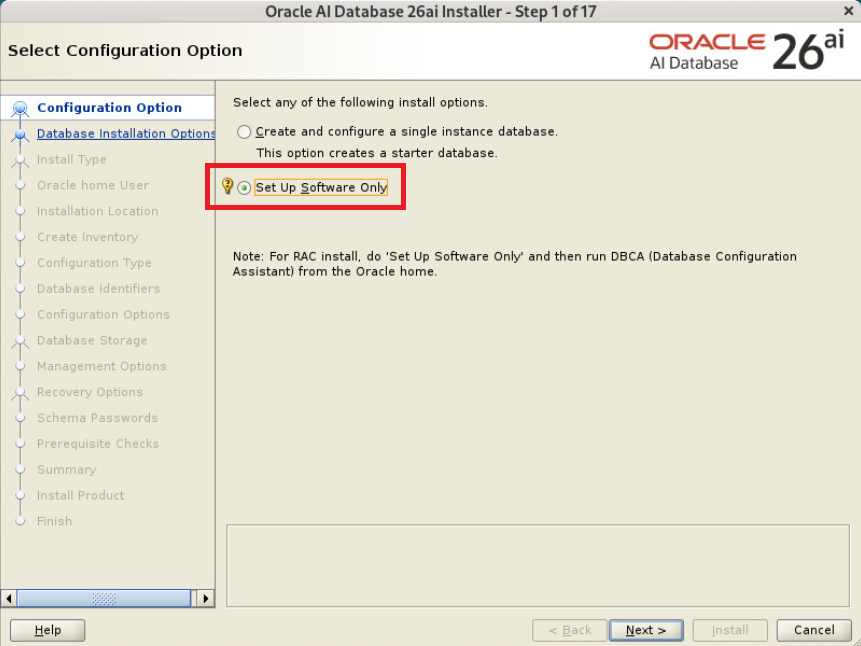
디자인이 이뻐진 26ai runInstaller 실행창

Set Up Software Only 선택
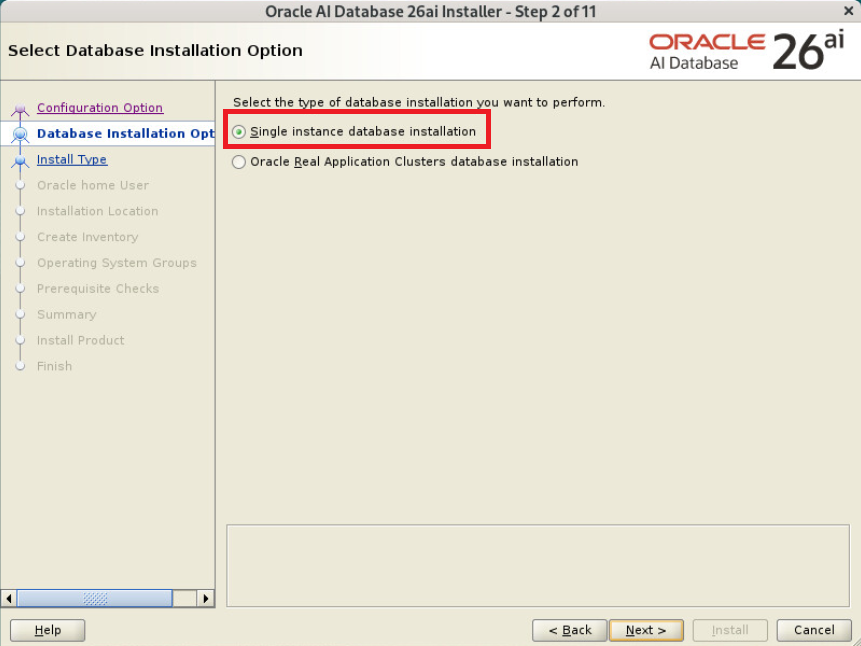
Single Instance database installation 선택
Enterprise Edition 선택 부분이 없어짐
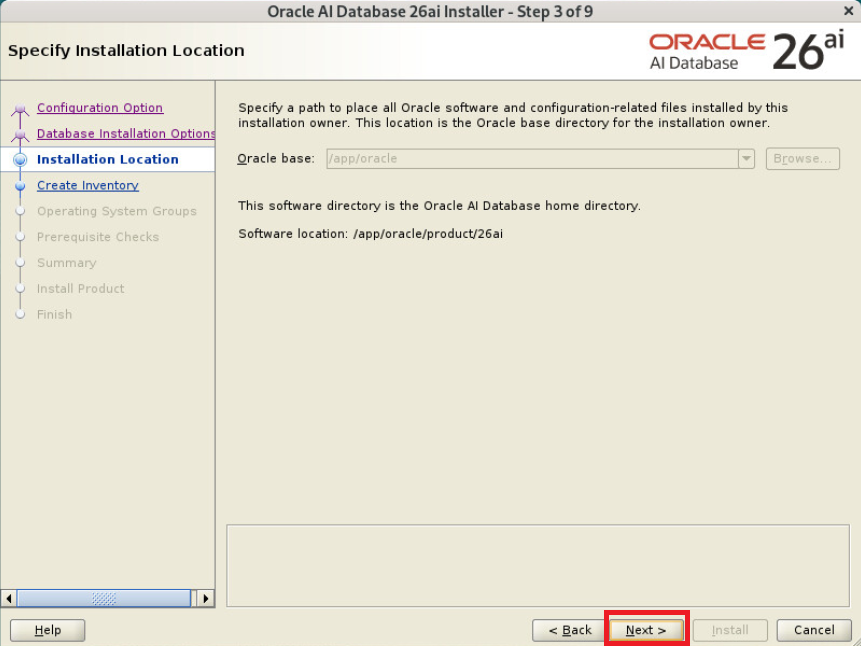
Next 선택
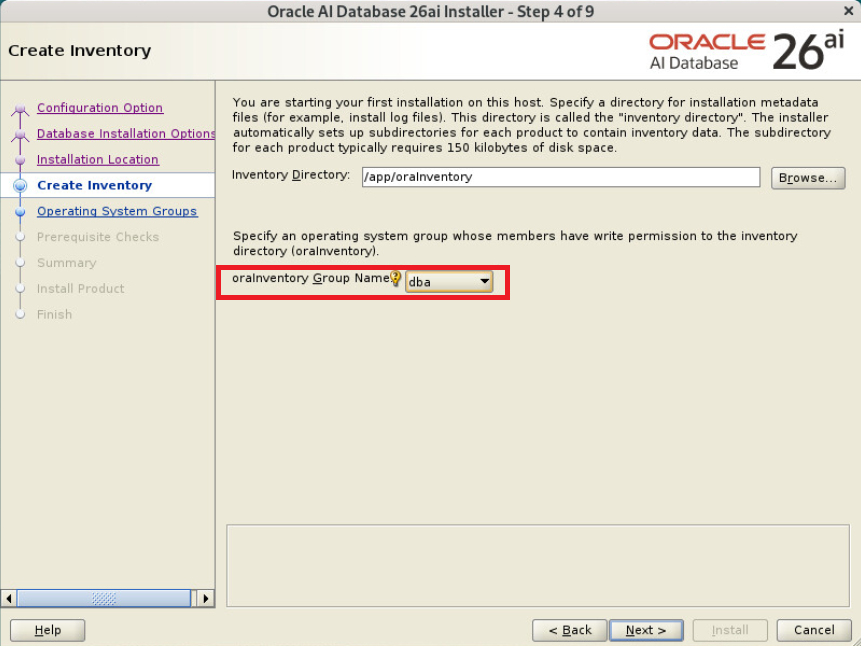
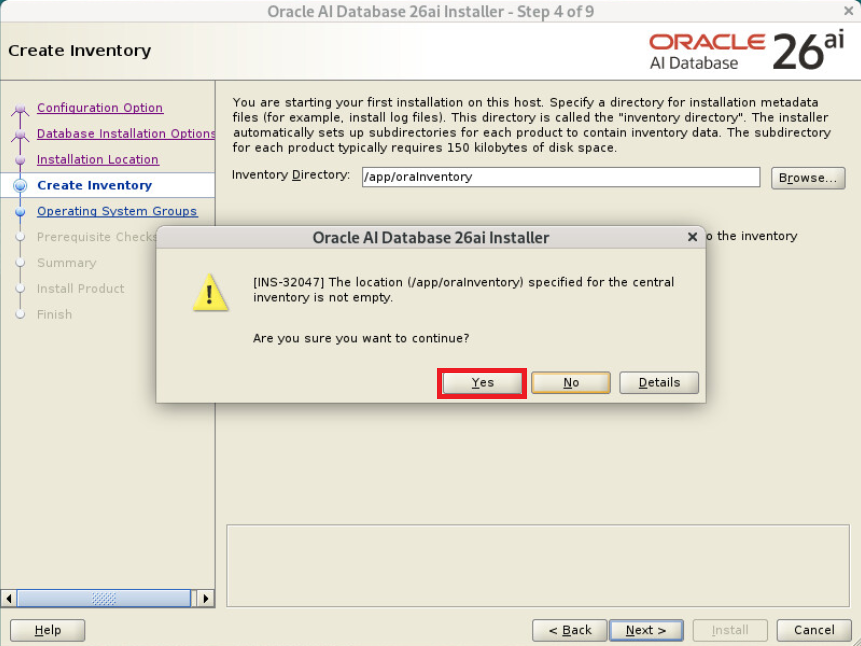
Inventory 확인 후 Next 선택
Yes 선택
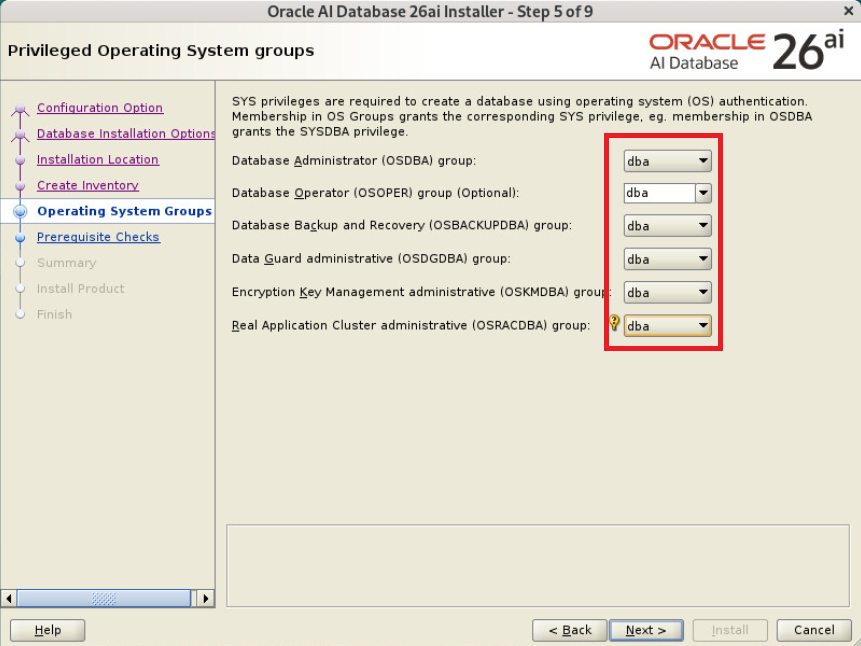
그룹 확인 후 Next 선택
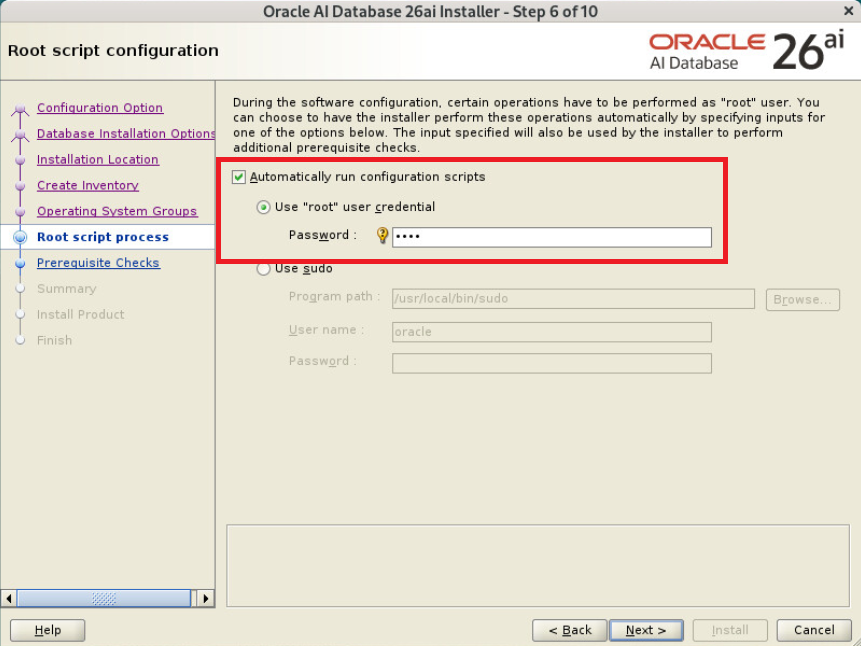
root 권한으로 자동 스크립트 실행을 위해 root 유저 패스워드 입력
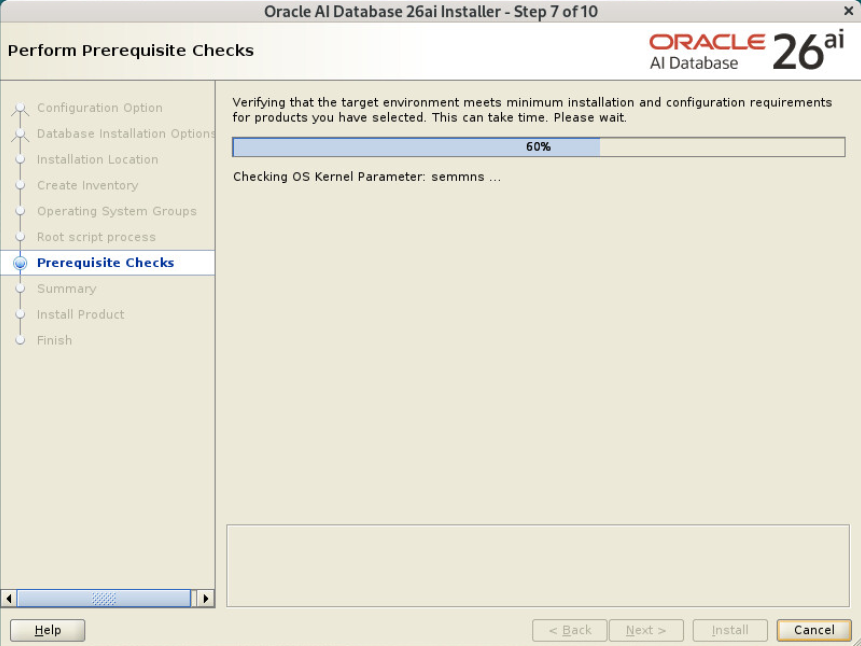
사전 요구사항 확인중
Install 선택
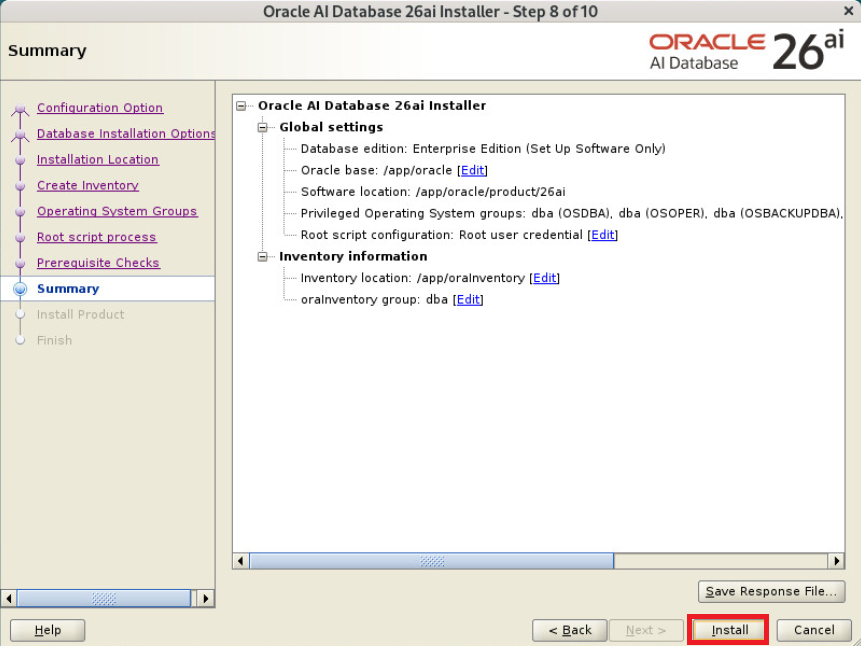
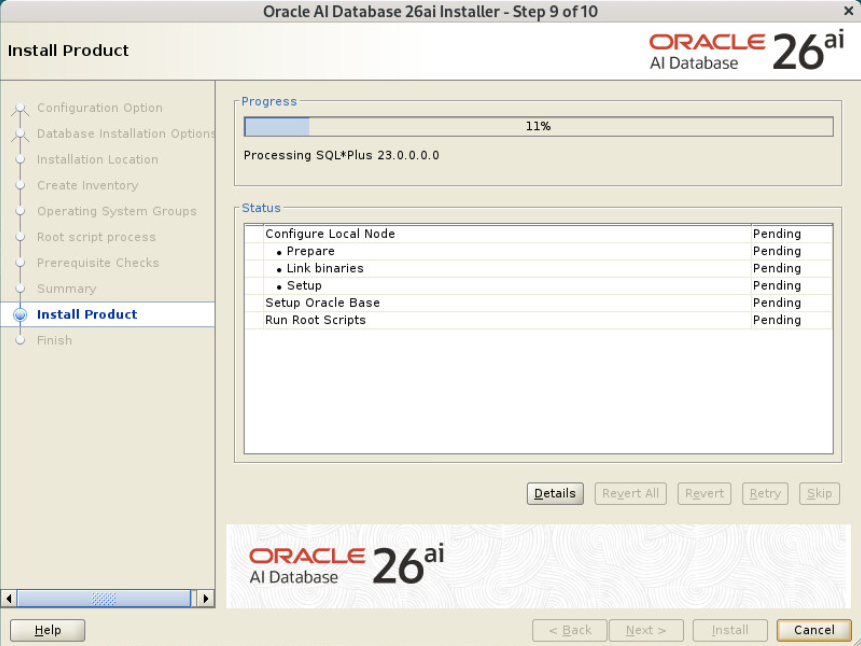
설치중
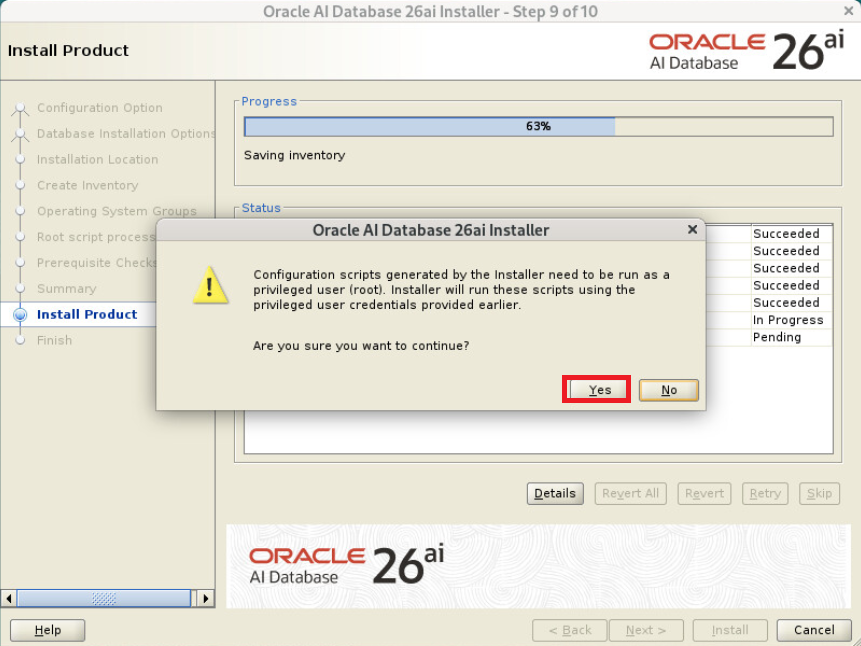
root 권한으로 자동 스크립트 실행 Yes 선택
Close 선택
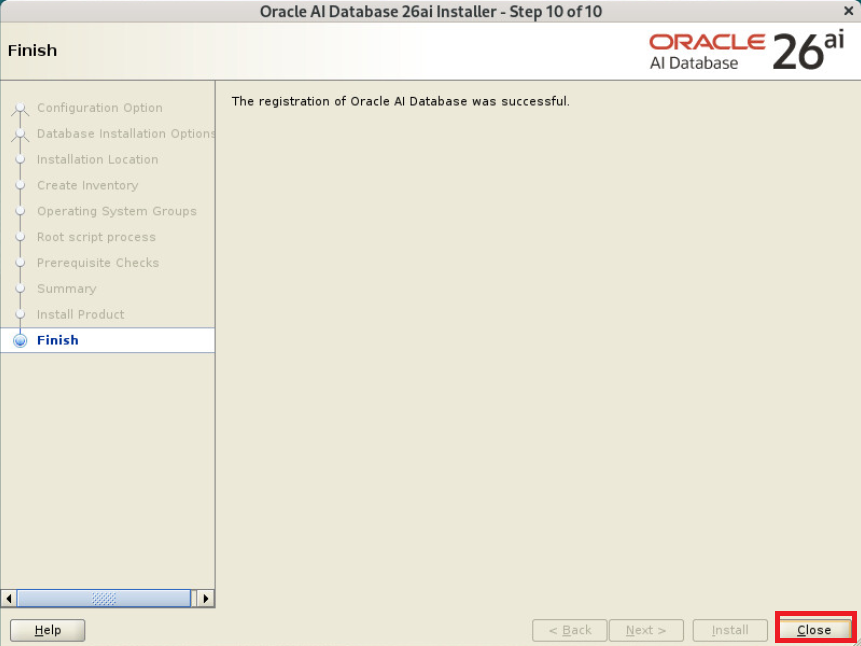
26ai 엔진 설치 완료됨
리스너 설정
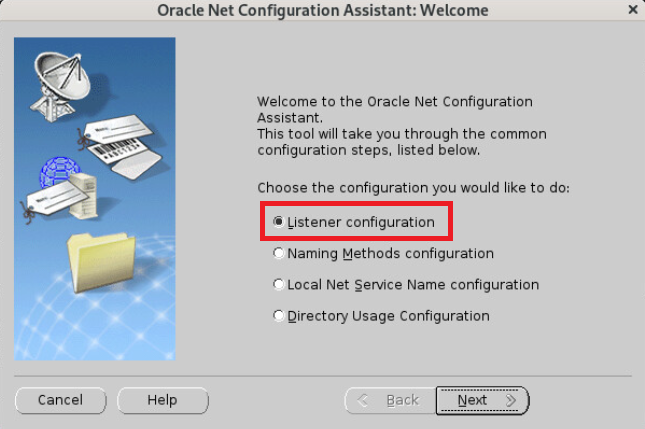
netca 진행
|
1
|
$ netca
|
Listener configuration 선택
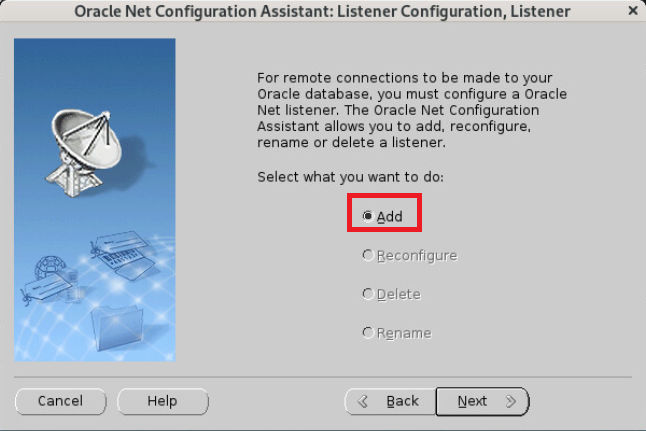
Add 선택
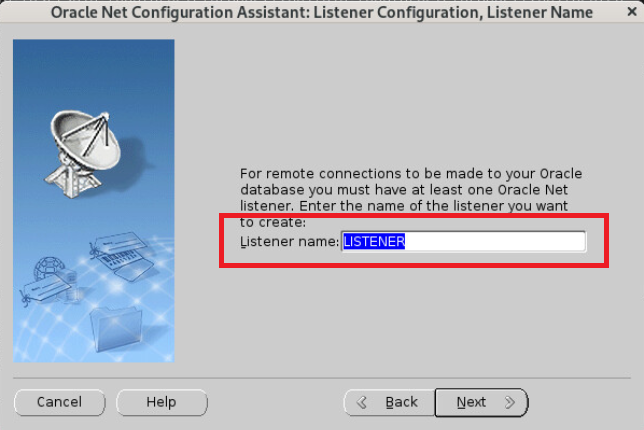
리스너 이름 설정
Next 선택
Next 선택
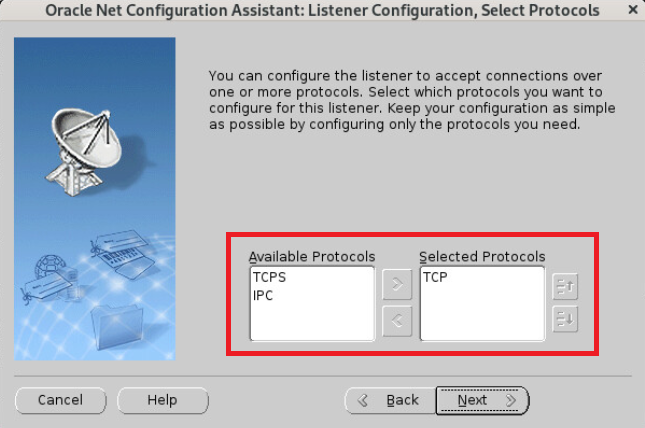
리스너 포트 선택
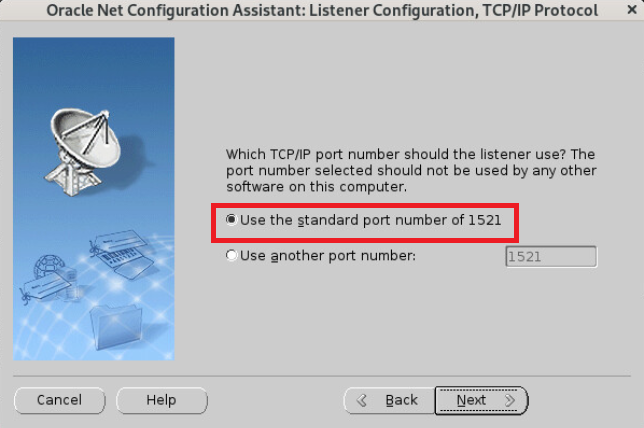
No 선택
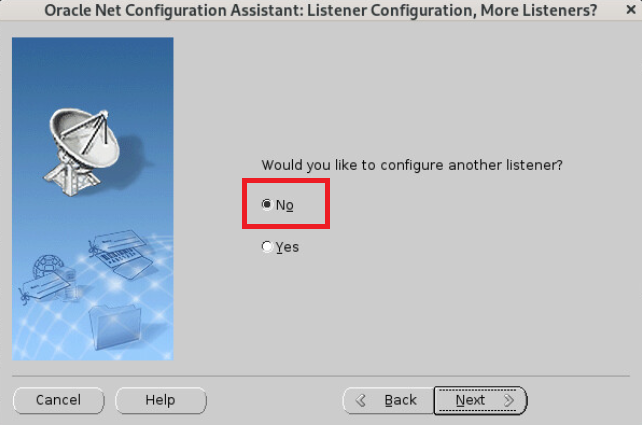
Next 선택
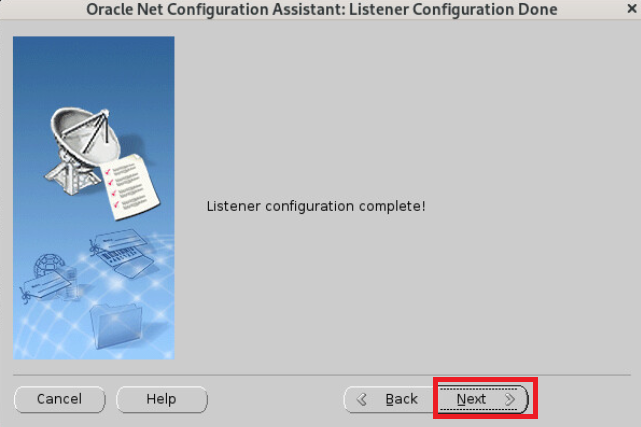
Finish 선택

DB 생성
dbca 진행
|
1
|
$ dbca
|
Create a database 선택
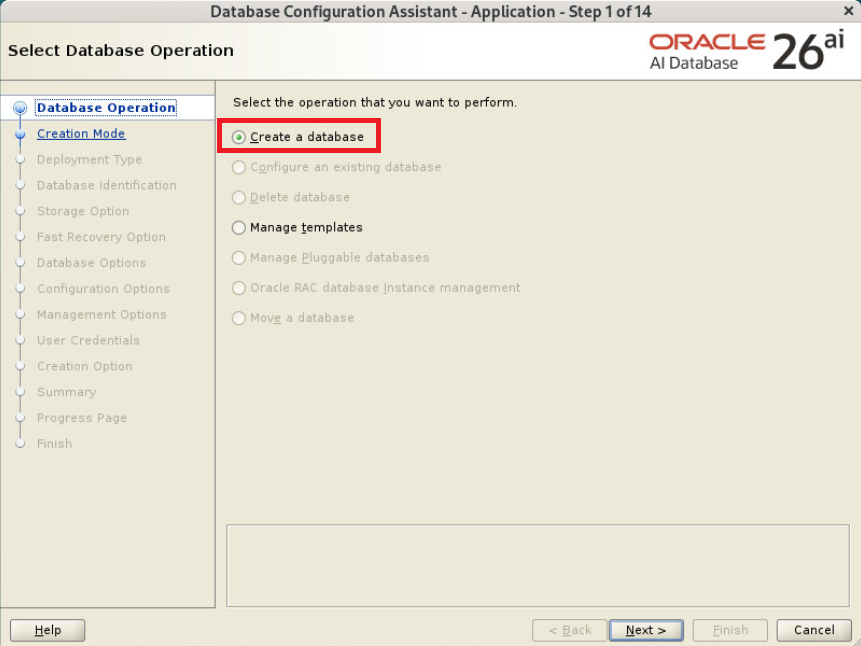
Advanced configuration 선택

Custom Database 선택

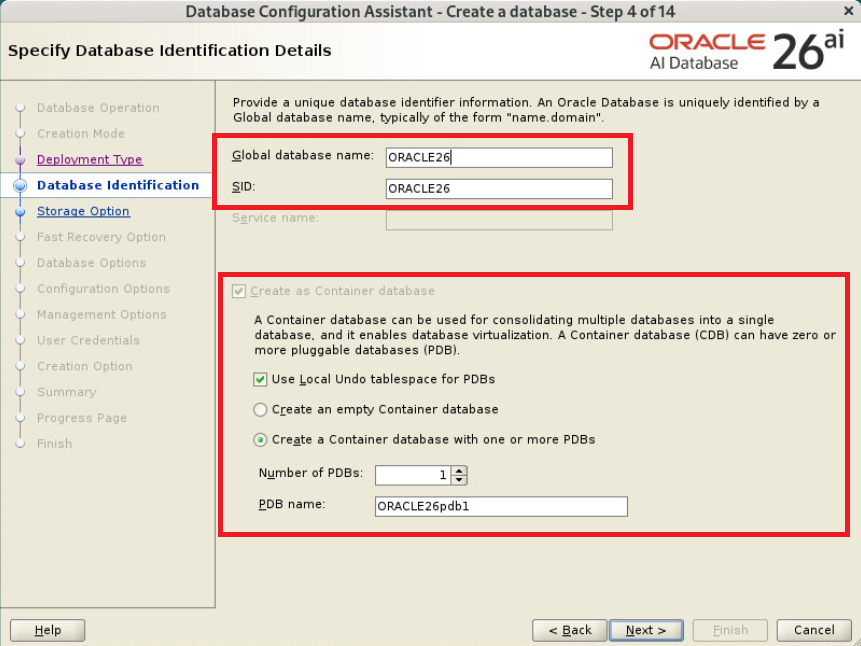
oracle SID 입력(이제 CDB 아키텍쳐가 필수가 됨)
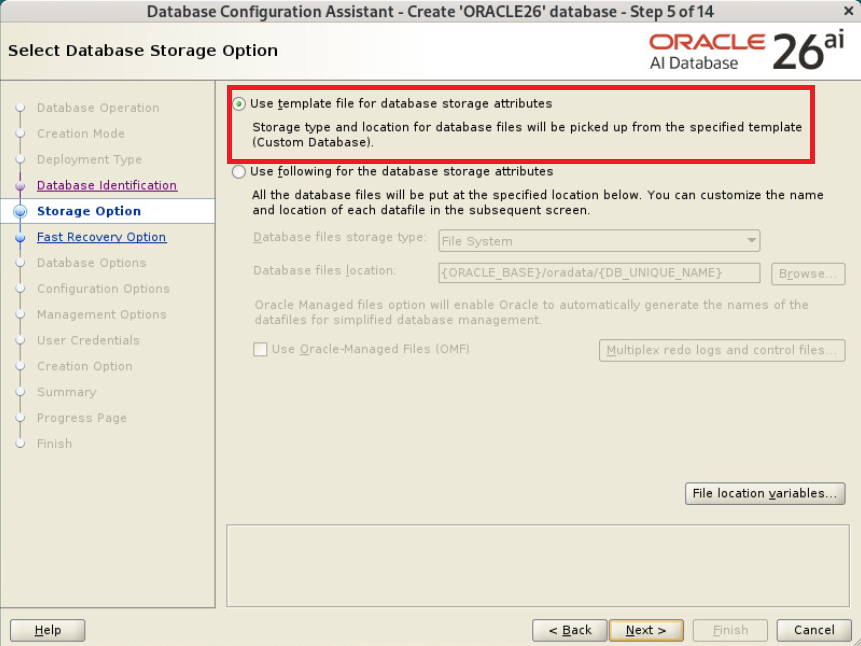
Use template for the database storage attributes 선택
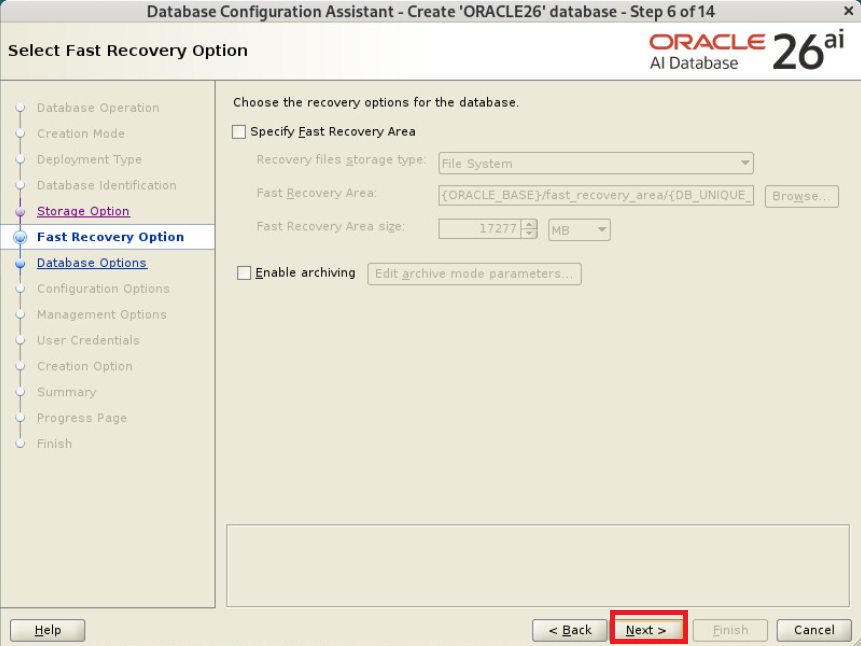
Next 선택
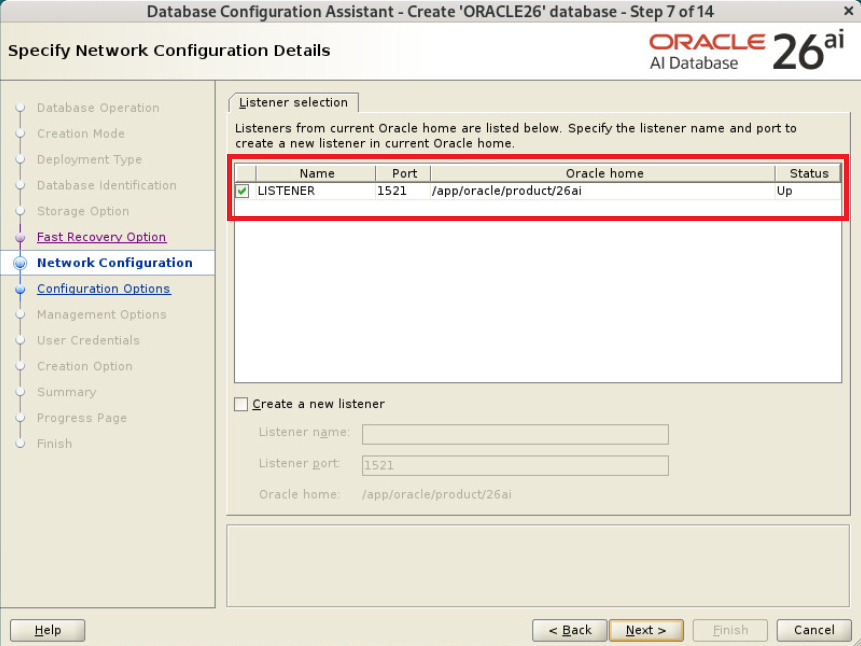
리스너 선택
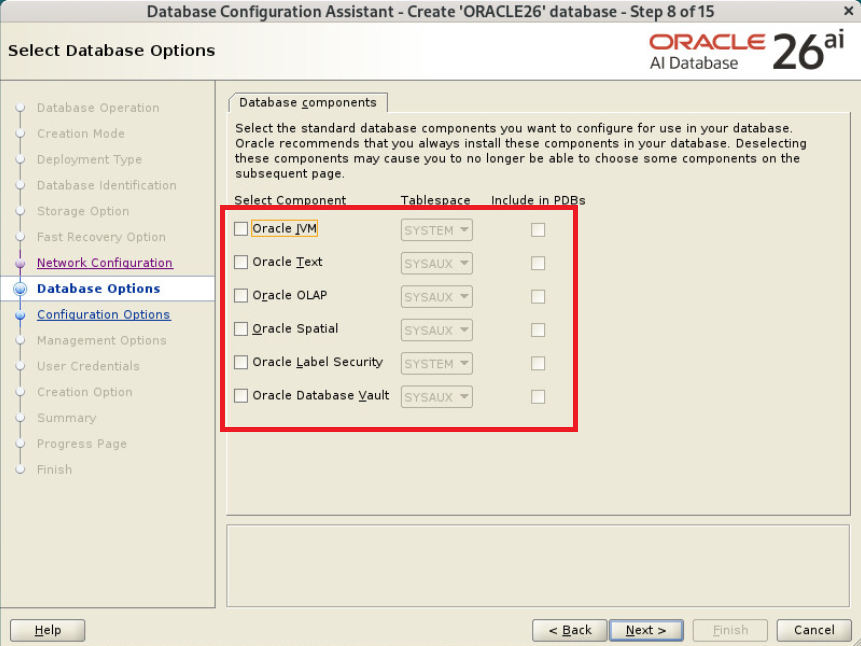
컴포넌트 모두 체크 해제
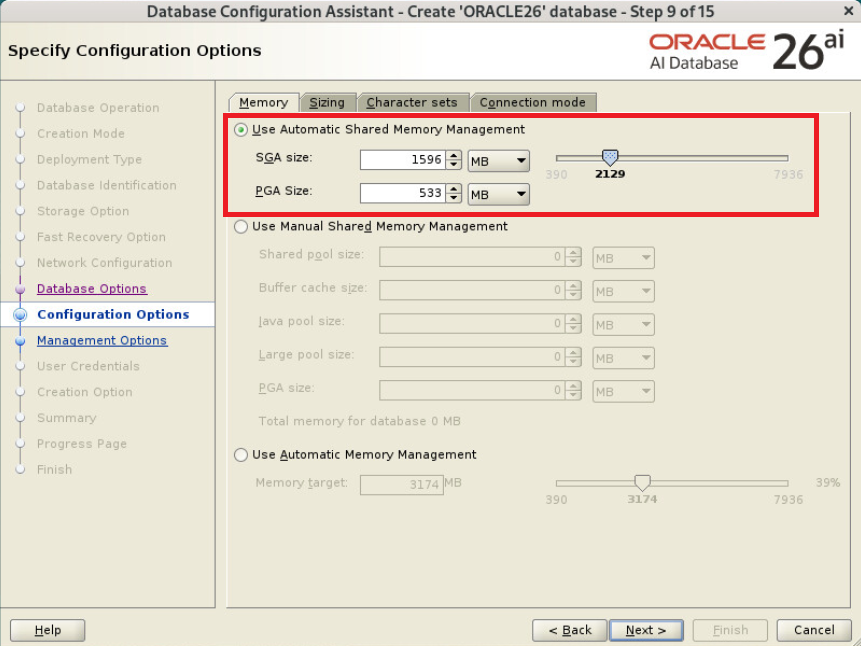
Memory 설정
Choose from the list of character sets 는 KO16MSWIN949 선택

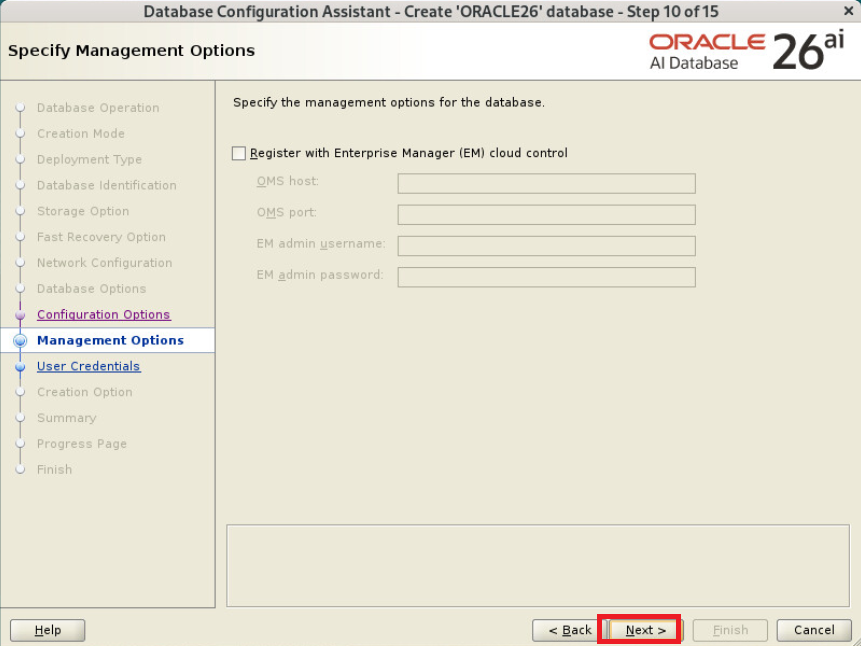
EM 체크 해제
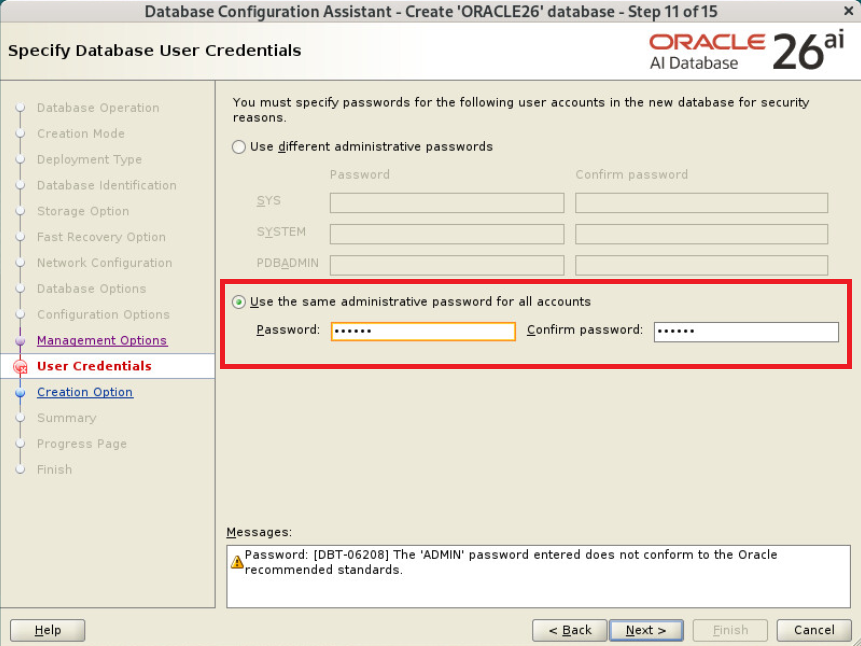
admin 계정 패스워드 설정
Yes 선택
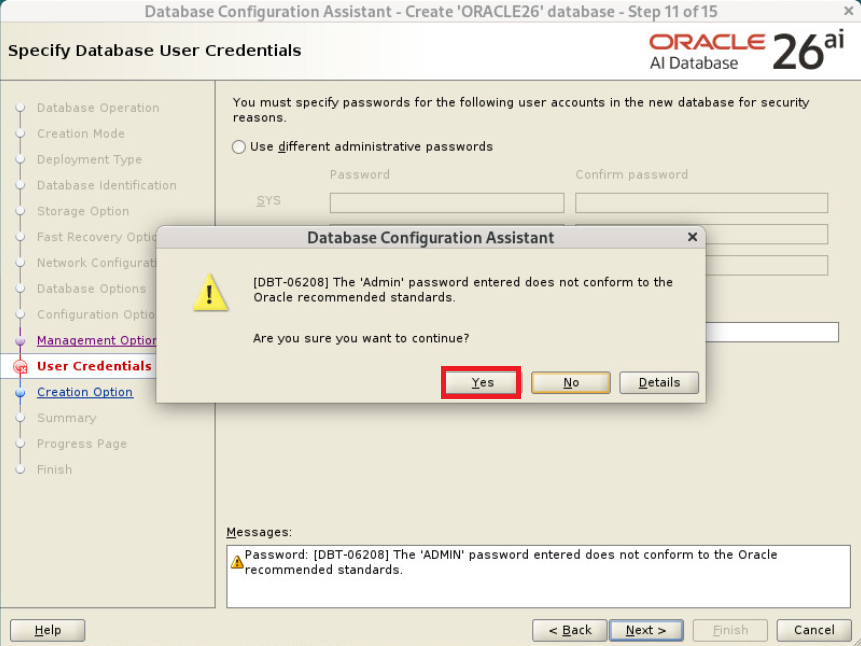
Create database 선택
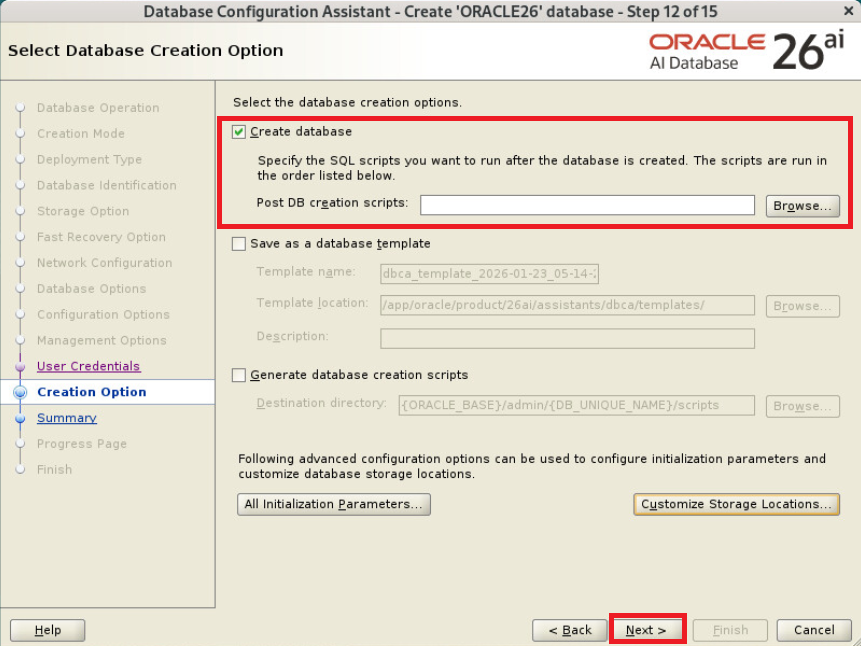
필요시 Save Response File 선택 후 Finish
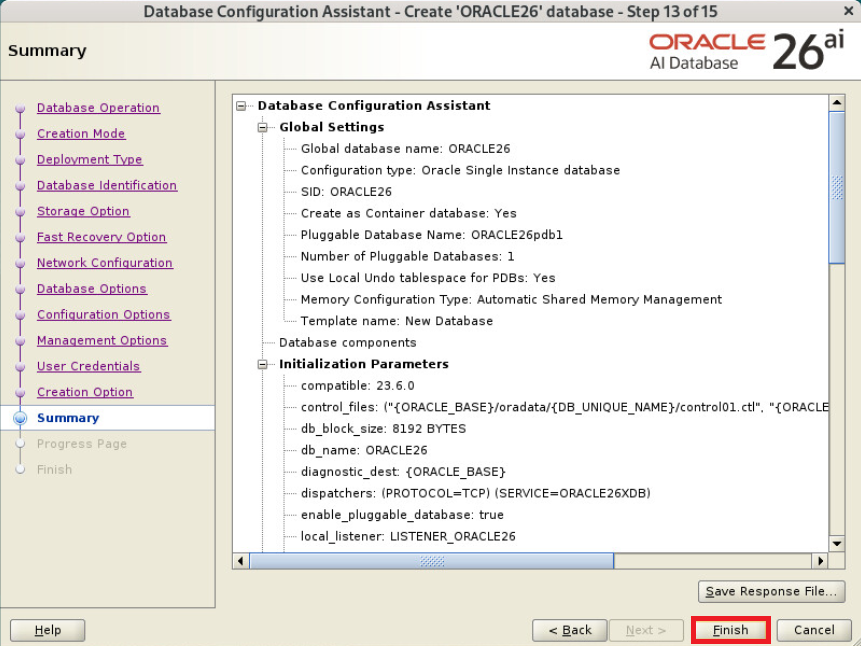
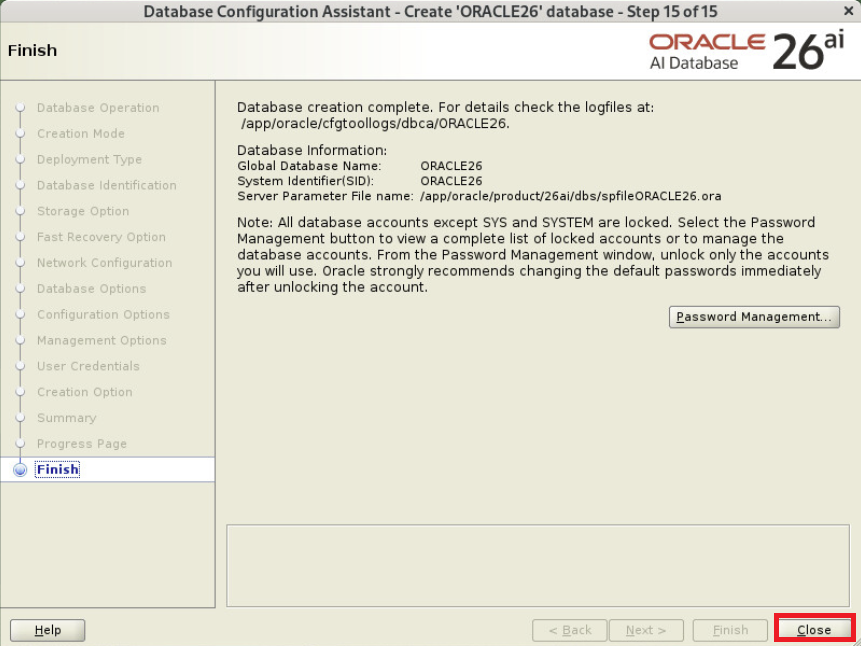
설치중

설치 완료됨
db 접속 후 버전 및 상태 확인
|
1
2
3
4
5
6
7
8
9
10
11
12
13
14
15
16
17
18
19
20
21
22
23
24
25
26
27
28
29
30
|
$ sqlplus / as sysdba
SQL*Plus: Release 23.26.1.0.0 - Production on Thu Jan 29 23:02:34 2026
Version 23.26.1.0.0
Copyright (c) 1982, 2025, Oracle. All rights reserved.
Connected to:
Oracle AI Database 26ai Enterprise Edition Release 23.26.1.0.0 - Production
Version 23.26.1.0.0
SQL> select instance_name, version, status from v$instance;
INSTANCE_NAME VERSION STATUS
---------------- ----------------- ------------
ORACLE26 23.0.0.0.0 OPEN
SQL> set lines 200 pages 1000
SQL> select * from v$version;
BANNER
---------------------------------------------------------------------------------------------------------------------------------
BANNER_FULL
--------------------------------------------------------------------------------------------------------------------------------------------------------------------------------------------------------
BANNER_LEGACY CON_ID
--------------------------------------------------------------------------------------------------------------------------------- ----------
Oracle AI Database 26ai Enterprise Edition Release 23.26.1.0.0 - Production
Oracle AI Database 26ai Enterprise Edition Release 23.26.1.0.0 - Production
Version 23.26.1.0.0
Oracle AI Database 26ai Enterprise Edition Release 23.26.1.0.0 - Production 0
|
정상적으로 설치됨
cdb 접속 테스트
|
1
2
3
4
5
6
7
8
9
10
11
12
13
14
15
16
17
|
$ sqlplus sys/oracle@localhost:1521/ORACLE26 as sysdba
SQL*Plus: Release 23.26.1.0.0 - Production on Fri Jan 30 05:33:48 2026
Version 23.26.1.0.0
Copyright (c) 1982, 2025, Oracle. All rights reserved.
Connected to:
Oracle AI Database 26ai Enterprise Edition Release 23.26.1.0.0 - Production
Version 23.26.1.0.0
SQL> show con_name
CON_NAME
------------------------------
CDB$ROOT
|
정상적으로 접속됨
pdb 접속 테스트
|
1
2
3
4
5
6
7
8
9
10
11
12
13
14
15
16
17
|
$ sqlplus sys/oracle@localhost:1521/ORACLE26PDB1 as sysdba
SQL*Plus: Release 23.26.1.0.0 - Production on Fri Jan 30 05:34:04 2026
Version 23.26.1.0.0
Copyright (c) 1982, 2025, Oracle. All rights reserved.
Connected to:
Oracle AI Database 26ai Enterprise Edition Release 23.26.1.0.0 - Production
Version 23.26.1.0.0
SQL> show con_name
CON_NAME
------------------------------
ORACLE26PDB1
|
정상적으로 접속됨
참조 :
오라클 26ai(23ai) 게시물 모음 ( https://positivemh.tistory.com/1103 )
https://yum.oracle.com/oracle-linux-9.html
https://www.oracle.com/kr/database/container-database/
'ORACLE > Install' 카테고리의 다른 글
| VirtualBox에 Oracle 26ai Free 로드 가이드 (0) | 2026.04.06 |
|---|---|
| Oracle Linux 9.6에 Oracle 26ai Free RPM 설치 가이드 (0) | 2026.03.25 |
| 오라클 19c grid 골드 이미지 생성 및 배포 가이드 (0) | 2026.01.19 |
| Oracle Linux 9.6에 Oracle 19c RAC 설치 가이드 (0) | 2026.01.04 |
| Oracle Linux 9.6에 Oracle 19c Restart 설치 가이드 (0) | 2025.12.31 |